Published by JT on 26 Mar 2009 at 09:19 am
Blown Power Supply on Philips Plasma
I’ve been meaning to post this blog entry for some time – but better late than never. In late February, as the kids were getting ready to leave for school in the morning, they mentioned to me that the TV in our Sunroom was not working and it had a blinking red light. I went downstairs sure enough my 42″ Philips Plasma TV (Model: 42PF9631D/37) would not turn on. After the jump I’ll explain how I fixed the problem for under $30.
First of all let me start by giving a little background on the TV. It was a extremely nice house warming gift from my parents when I bought my house just over two years ago. This was my first flat screen and I was so very excited. So much so that at the time it was delivered at 7:30 am, I rushed over from my old house, where I was still living, to meet the delivery guys at the new house — I was still in sweats. I even had that box cracked opened before the delivery guys had left the driveway.
Fast forward two years and poof – the plasma decides it won’t turn on. I’m sure that a lot of you can relate, in a large family it really hurts to have one of the TVs down for any amount of time. Everyone’s daily routine is thrown off, rules start to get ignored (evidence: crumbs on the carpet in the “no-eating” rooms that had working TVs), the arguments start on what shows to watch, etc. So it behooved me to get the plasma fixed as quickly as possible to avoid losing family members. However, I was not looking forward to the repair bill.
Before I started calling around for repair shops, I broke out the warranty paperwork. Of course – just out of warranty. Luc
ky me. Typical. Fortunately I didn’t pay anything for it.
However, on a hunch I jumped on the internet and did some research on the model in question. In my research, I found out that the first year to 18 months of this line of Philips plasmas had been out, there were very few issues. At least not enough to cause any concerns regarding any major defects. That was until January or so of this year (2009) – I started seeing dozens of complaints of blown power supplies and the horror stories surrounding getting the plasmas fixed.
Once again the AVForums had all the answers a guy with A/V problems needs. I discovered this thread that deals with a number of Philips plasma models exhibiting the same symptoms. Here were my symptoms: Power On, Green Power Light, 2 “relay clicks” (you can hear the clicks clearly), Power light goes red and flashes 7 times, Power light stays red. Basically all of this pointed to something wrong with the power board(s) in the plasma. A majority of the reported issues were with blown capacitors. I believe that one person reported that the specific capacitor was rated for 1000 hrs – no wonder so many of them were failing just outside their warranty period and all at once!
Message #70 of the thread really sank it home for me, as the poster had exactly the same model of plasma I had and he had posted pictures of the blown capacitors. At this point I figured that I might as well see if I had the same problem – and maybe attempt to fix it myself to save on the repair costs. I thought I would post some pictures about this project – hopefully it will help someone else out.
Here is a picture of the plasma with the back taken off. I’ve edited the picture to show the capacitors that were blown:

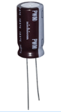
Here is a close up of the blown capacitors:

You’ll notice that the top of the capacitors are not flat, but rather blown up.
I took the board to a local electronics store, Green Brook Electronics, that had some guys on hand that knew their stuff. Frank, the guy that help me through this mess, confirmed the blown capacitors. He also inspected the rest of the board and gave me a little bit of advice on some of the parts. He then said that he didn’t have the appropriate part on hand, but I could find it online readily enough. Once I got the part, he would put them on the board for me.
One bit of advice Frank had was that when attempting to get the part online – make sure I have the correct measurements of the capacitors (12.50mm x 25.00mm). I didn’t realize at the time how important that was until I started looking for the part online. I was stunned at the number of choices of electronics parts – I’m such a nubie with this stuff.
In any event, I took Frank’s suggestion on using Digi-Key. After about an hour of trying to find the part myself – I resorted to using the online chat with their tech support. They were extremely helpful. They found two appropriate parts in 3 minutes. One part rated for 1000 hrs and the other for 7000 hrs. I got the 7000 hrs version. Here is the link to the specific part I ordered: 493-1754-ND. It cost me $1.07 for each capacitor – shipping was more expensive than the parts – about $6 on the slow truck.
Once I got the capacitors three days later, I went back to Frank and in 10 minutes he had the new parts put on the board. Frank charge me something like $16 and change – I gave him $17. I raced home with the newly repaired board and installed it immediately. WORKED LIKE A CHAMP!
In total – I spent about $27 and 8 hours of effort (research, two electronic store visits, moving the tv – with a friend – Thanks Mark!). A lot better than the $800 repair bill I would have to pay. A great big THANK YOU to the community of AVForums.
I hope that this article helped someone out – and if you are in the Greenbrook, NJ area and need some electronic work done, go to Green Brook Electronics.
-JT


Linda and Jim on 12 May 2009 at 12:38 pm #
thank you so much for this article; i am experiencing the VERY SAME problem with my 50″ Philips Amiblight. I am going to at least try this repair before I get rid of the TV; I got an $800 repair estimate. Worth a shot!
Kevin on 03 Jun 2009 at 2:18 pm #
AWESOME! THANKS! I have the same problem with my 50″ Philips 50PF931D/37. I opened it up and found two popped capacitors thanks to your blog, one slight and one largely popped. I got a repair estimate of $500-600 for the power board, $95 bench fee and $90 visit fee. I am even more excited that I can replace it with a part that will last seven times longer. I am slightly experienced with electronics and armed with a soldering gun so this repair might just cost me $1.98 (less shipping of course.)
JT on 03 Jun 2009 at 2:22 pm #
Glad the article was helpful. Drop by the AVForums and give them some love too as that’s where I got my info.
-JT
Matt on 16 Jun 2009 at 4:47 pm #
Hi I think I am having the same problem. I have a Phillips 50″ plasma tv just out of warranty. Well I should say this is my second cause my first one I bought at walmart broke within 6 months. I know have the replacement (most likely refurbished, cause you know I used my hard earned bucks for a once broken second hand TV). Anyway the other day the TV just stopped working. Wont turn on and no indication of recieving power. NO LIGHTS at all. Is the capacitors most likely my prob as well? Please help!
JT on 16 Jun 2009 at 6:53 pm #
Matt – wow, no lights. That’s really going to be different. I would recommend that you post a request on the AVForums (link in the article) as they have some real experts there. In any event, If it were me, I would take the back off the tv and see if there are blown capacitors – as that would be an easy fix. Plus, you’ll probably need to see what the part numbers (circuit board revs, etc) for anyone to give you any detailed advice.
Sorry I couldn’t be of more help. Let me know how things work out!
Kelly on 30 Jun 2009 at 4:49 pm #
JT, you are the man!
About six months ago, my 50 inch Philips plasma would not turn on. It would only do it every so often, and usually if I unplugged the power cord and re-plugged it in, the tv would eventually turn on. That was until about a week ago. It was down for the count. Luckily, I found your very informative and helpful post, inspected the circuit board from the back of the tv, and sure enough, the tops of my capacitors were blown as well. To make a long story short, about 7 days and $1.98 later, I am back in business. And thanks to your post, I saved several hundred dollars, which is what the “HD TV Technicians” in my area would have charged to diagnose and repair this problem!
Thanks again!
JT on 30 Jun 2009 at 5:48 pm #
That’s great news! Thanks for posting your success – it’s always great to hear back about the successes!
-JT
Kevin on 05 Jul 2009 at 8:00 pm #
Thanks so much for the information. I currently have my TV on the living room floor and I am in the process of removing the motherboard. I noticed you linked a single part: 493-1754-ND. Do you simply buy two of the same capacitors and replace the two with blown caps? Thanks again for such an informative and clearly rewritten piece.
Kevin on 05 Jul 2009 at 9:15 pm #
Errr…the two with that new cap, rofl, thanks
JT on 06 Jul 2009 at 8:05 am #
Kevin – Yes, in my case both blown caps were of the same type, thus the one part number. If your blown caps are of a different type, you’ll need to do some investigative work on Digi-Key — or better yet take the board to a nice (older) electronics store and see if they can help you find the appropriate parts. Thanks for the comments and Good Luck!
Kevin on 10 Jul 2009 at 5:04 pm #
HOLY MOTHER OF GAWD! Just minutes ago I ran down to my local TV repairman. He charged 25$ to soder the two new caps to the board (I went through Digikey also). I drove home like a madman and mounted the board to the TV and low and behold, SCORE! It feels good to be a “hero” of sorts to your kids and to have your wife finally believe you might have figured something out. Instead of $800 on some phony new board, I am only out about $40. I can’t express how awesome your blog is and how much I really appreciate the help! YOU ROCK, SIR!
Kevin
JT on 10 Jul 2009 at 5:33 pm #
Kevin – Thanks for the kind words. Saving $800 in this economy is a great feeling! (oh yeah, my wife had the same reaction!)
-JT
Steve on 15 Jul 2009 at 12:31 pm #
I had this issue as well with my Phillips 42″ Plasma.
The first time it happened was at 14 months old, 2 months out of warranty. I had 7 red blinking lights. I also did a lot of reading in the AV forums and remember looking at the exact pictures you posted. Took the pwer board in to work to a co-worker who used to work electronics. He soldered in another capacitor he scavenged off of a computer power source and it worked great.
Fast forward another 8 months and it’s out again
6 red blinking lights. Again I removed the power board and the other capacitor next to the one he replaced last time was done for. He replaced this one but no luck, she won’t boot up. Looks like the board will have to go in for some more in depth diagnosis.
In the mean time I’m ordering a new LCD and if I ever get this Phillips working again it will either go on Ebay, Craigslist or be reserved to the basement where it’s cooler. I believe part of the power board issues arise from inadequate cooling. Especially in my case where it was corner mounted with all the AV equipment directly underneath throwing up heat.
Thanks for the article.
–Steve
JT on 15 Jul 2009 at 3:56 pm #
Steve – Thanks for posting your results. Sorry to hear about the blown board.
-JT
Dave on 25 Jul 2009 at 3:51 am #
Thanks JT, I had the same problem with my Philips 42PF5320 in Australia. Picked up a couple of 3300TKR capacitors from Wagner in Sydney, soldered them in and away it went. Your post saved me a lot of time.
Dave
JT on 25 Jul 2009 at 9:42 am #
That’s great news Dave! Thanks for posting your results!
-JT
Jack Lee on 25 Jul 2009 at 9:57 am #
JT,
I have the same condition exactly as you described with my 42″ Philips Plasma TV.
I found the 2 blown Caps and replaced them. However, there was no difference. Still get 7 blinking red lights after power up and a brief audio sound.
I was wondering if you or anyone else have any additional suggestions I might try.
I hate to spend 400-600 dollars for Philips’s authorized repair dealer.
Thanks for the excellent posting and photos. It was really a big help to me.
-JL
JT on 25 Jul 2009 at 2:54 pm #
Jack -
Sorry it didn’t work out for you. I would reccomend that you read the entire thread in the avforums — maybe even post your question there as they have some geniuses that visit that forum.
Here’s another option: When I did my repair, I had remember reading that there was a guy on eBay that was selling components for a similar model tv. You can find him here. I traded a couple of emails with him as he didn’t have the exact board I needed, but he mentioned that he could fix the powerboard of the model I did have. Not sure what it would run you, but I’m betting it’ll be cheaper than going to a repair shop.
Good luck and post any results you get.
Thanks!
JT
Bill Di Carlo on 28 Jul 2009 at 1:48 pm #
hi, thanks for all this info, my set , philips 42 plasma with ambi light , is exhibiting the EXACT problem, so I removed the back, and removed the central board, I already ordered the caps, but the only thing Im a little concerned about is that the caps on my board do not look ruptured at the top as yours do. I already contacted greenbrook electronics and when I get my new capacitors, Im gonna take a drive there (Im about 45 min from there) and have them install em., Hope that works, thanks
JT on 28 Jul 2009 at 5:56 pm #
Bill – Good luck. I hope it works! Post your results!
Thanks!
JT
Bill Di Carlo on 29 Jul 2009 at 9:25 am #
update,, well I had the caps replaced and same thing, so I just ordered a new complete power supply, hope that works, or in the garbage it goes,, but thanks anyway for the info, it was worth the 40 bucks to give it a try,
Bill Di Carlo on 04 Aug 2009 at 2:01 am #
wow,, confused,, I replaced the entire power supply board, and same thing,, seven blinking lamps, then cycles again, any ideas out there??? seems strange to have the exact problem you guys have with no results,, Im baffled
JT on 05 Aug 2009 at 7:13 pm #
Bill – I can’t believe that a completely new power board didn’t fix that problem!! Maybe the guys over at AV Forums can give some advice?!
KT on 11 Aug 2009 at 7:21 am #
JT,
Thanks for the informative site. Just wanted to share a related story – I picked up a used 9630 off ebay since I have some experience with some other Philips tv’s with similar issues, and this one had similar issues to your problem (and I like to fool around with stuff). Here is the actual listing for the item:
“up for sale is my 42 inch philps ambilight plasma model number ,42PF9630A/37 was working perfectly until the other day , when it turned on and turned off by itself, wont show anything, red light at the bottom blinks 7 times, may be an easy fix, not sure, and dont want to know.
I dont fix electronics, were going to buy a new set,
looks brand new as its been hanging on the wall in my living room, maybe someone with some electronics experience can fix it, this was top of the line three years ago and I paid alot of money for it, (about 3000) now of course there alot cheaper, so, its up for grabs,, just so you know, I would light it on fire, before I sell it for less than 150.00 so dont ask, I will absolutely not sell it for less, under any condtion, , Im funny that way,,,lol anyway, thats the price. AS IS NO RETURNS”
So to me, this seems like a tv that nobody had messed around with. However, after I paid, I realized that the person I bought it from was Bill Di Carlo who had responded in this thread saying that he had swapped the capacitors and power supply.
When I picked it up, I asked him to his face whether he had done any work to the tv to replace anything, including capacitors or power supply. He said “No, I didn’t do any of those things”. I even had a printout of this blog which I showed him and he still said he didn’t do any of these things.
Being an honest person who will take someone’s word and not think they are lying to my face, I took it home, opened it up, and it was pretty obvious that the 8059 and 8060 capacitors had been swapped out (as well as several others). Seems like a relatively decent job of soldering, but they may have damaged the board in the process (as there was a small brown spot around one area of soldering).
So I am torn, I knew I was getting a broken tv, but the listing made it sound like nothing was done to attempt to fix or that anything on the board was replaced. I didn’t spend a lot on it, but it is really just the point that someone would blatantly lie to my face when I asked them directly. Bad karma for him, and I am debating filing a complaint with Ebay/Paypal since the listing does not represent the condition of the item. However, that is a lot of hassle and although I think I am in the right, I may not have a 100% shot of getting my money back.
I’ll keep you posted as to how it turns out…
JT on 11 Aug 2009 at 4:29 pm #
KT – Thanks for the post and I’m sorry to hear about your experience.
I debated approving the comment as I don’t want the site to becoming something other than what I intend it to be. However, I thought it was important to approve the post as it does “contribute” to the conversation. — if only to bring up the fact that one needs to be careful when buying used products (I’m a eBay fiend lately.)
Obviously I can’t speak for (or against) the person you mentioned in your comment, nor can I speak for their work, but I can wish you luck with the plasma. I do hope that it gives you many years of enjoyment to offset your buying experience.
Thank you for sharing!
-JT
KT on 11 Aug 2009 at 11:22 pm #
JT,
Sorry for the rant previously, but I do have an update…after looking at the power board for a while, I was thinking something didn’t look right…and I realized that the new capacitors that were put in on the board were put in backwards, so the negative was on the positive side for both. Shocked I didn’t pick that up earlier, but what can you do. (So I definitely know someone played around with the power board but wasn’t fixing the right problem)
So I put them back in the right way hoping that would fix it, and I got further up to the point where the ambilight would come on before the tv shut down, followed by 7 red blinking lights.
So I unplugged the y board, plugged it back in, and it starts up and doesn’t shut down at least. So I am pretty sure I need to replace it. I’ll let you know if that clears it up.
Thanks again,
KT
Matt on 16 Aug 2009 at 9:08 am #
I picked up the same model you had after finding a craigslisting that described the symptoms you had listed here.
After taking it apart it could have been the very one you took pictures of — they are that similar.
I’ve got the caps ordered and will let you know how it goes. Could be the best $150 I’ve spent in a while.
–Matt
JT on 16 Aug 2009 at 9:13 am #
Matt – Good luck! Post your results.
-JT
Matt on 20 Aug 2009 at 4:35 am #
It worked like a champ. I even got a little over-zealous and ran off to Radioshack for a temporary fix. As ugly as it looks, this actually worked:
http://www.mathewandlindsay.com/images/psu_tv.jpg
JT on 20 Aug 2009 at 11:40 am #
Matt – NOICE!!! Great job!
RP on 31 Aug 2009 at 12:30 am #
I have 50 plasa from philips which i bought refurbished 1 and a half year ago. All of a sudden last week, I started seeing the the slow and fast 6 red flash/blinks. I followed the instruction on this thread, and opened the tv cover and found 1 capacitor like JT mentioned, was not only had blown cap but some black dust were on the top. Another capacitor looks ok.
I ordered 4 matching capacitors 493-1754-ND from Digi-Key incase when I am soldering, extra would be handy. Hopefully this will take care of my problem. I will keep you guys posted. I should get my capacitors on Wednesday 09.02.09
JT on 31 Aug 2009 at 8:41 am #
Yes! Please post your results! Good Luck!
-JT
RP on 02 Sep 2009 at 11:19 pm #
I received 4 capacitors from http://search.digikey.com/scripts/DkSearch/dksus.dll?Detail&name=493-1754-ND, and cost about $4 for 4 +$14 – 2 day shipping. As soon as i got it, i took out the blown out as well as the other one (I am pretty sure it will blow up soon), and sodered 2 new ones in. I put everything back in, and BAAAAAAAM…. everything is back up. I used to have a lag time before start, and no sound for a while, but its all normal now. Thanks much JT. You da man. You saved many people $100 of dollars if not thousands. Keep in mind, that I have done some research, and some people have other sets of capacitors gone bad as well, but didn’t pay too much attention as to what sort of problem they are having.
Thx.
RP
JT on 03 Sep 2009 at 4:14 pm #
AWESOME! I’m very happy it worked for you! Good luck with it!
John M on 21 Sep 2009 at 2:41 pm #
JT
Love your site great stuff. I have the 7 blinking lights going on right now. researched it a bit and have found a quick fix while the new Compacitors 3300uf 10v come in the mail. TURN THE TV ON AND OR PLUG IT IN AND WIGGLE THE POWER CORD OUT AFTER YOU HEAR THE SECOND CLICK THEN PLUG IT BACK IN AFTER THAT. I tried that and it worked after the second try. From what I read its temporary…..but alot better than when I called Philips and they wanted me to replace the whole board?????? Ba****ds! By the way did you ever consider sodering the compacitors youself?
Thanks
John M
JT on 21 Sep 2009 at 5:21 pm #
Thanks for the compliment and yes, I thought I’d give it a shot initially. However, once I saw the state of my soldering equipment. I think the last time I used it was close to 15 years ago. Plus I’ve never really acquired any soldering skills per se. I was just good enough to make minor repairs. For me, it cost under $20 to have someone else do it that had those skills. I was more than happy to fork over the money!
-JT
Cody on 24 Sep 2009 at 9:03 pm #
Thank you, thank you, thank you!
Exact same problem with my 42″.
Thanks to your post – will be able to repair myself for a couple of dollars.
Thank you for taking time to explain and post!
Pete on 25 Sep 2009 at 10:45 pm #
Wow. Finding your post has really encouraged me.
I have the Phillips 50 inch plasma and have been fighting with it for about a month deciding what to do. Up until today I could unplug/replug and it would eventually come on. It started shortly after I bought the unit, just shutting down – then coming on on its own. This was very sporadic….. I really was not sure it was the TV. I replaced the cable box; even suspected my Lifestyle system. Until about a month ago when we started this game getting it to come on at all.
My question is; I have the six long/three short red light flashes. Others have mentioned seven flashes. Does this indicate a different problem? I’ve always suspected the power supply.
I’m going to tear it apart tomorrow to examine the capacitors. I too have been delaying schlepping the gigantic thing to the repair shop where I was given a rough estimate of $400 – 600.00 from my verbal description; pending actual findings. You know it would have been higher in the end!
Thanks for the great post. I will let you know how I do!
JT on 26 Sep 2009 at 7:20 am #
@Cody – Good Luck and let us know how you make out!
@Pete – It does sound like power. However, since it’s a different size and different code, I would head over to the AVForums and do a little digging around there. They have some absolute geniuses that might be able to help you out. Good Luck and let us know how you made out!
-JT
Pete on 26 Sep 2009 at 7:48 am #
Thanks for the quick response. Opened the unit up this morning and to my amazement – the exact two capacitors you described clearly appear to be blown. Both are split at the center and one is ‘leaking’ black …….whatever it is. I’m headed to Radio Shack to try my luck. I will replace the power supply as well. Seems foolish not to.
I have done a fair amount of hobby soldering and general project stuff. never on a PC board. I will pick up a small gas soldering iron. Any further tips?
I feel I should be paying you for this information and time. I’m just in NY above the Jersey border. If it works I’m sending you a gift certificate for a good Outback dinner or something!
Thanks.
JT on 26 Sep 2009 at 8:51 am #
Pete – Thanks for the thought – but save the cash — or better yet take the wife/significant other out for dinner. I’m just happy to help out. Post your results when you get a chance!
-JT
danielle on 05 Oct 2009 at 2:11 am #
My T.V. was working perfectly fine a couple of hours ago. I come home to use it, specifically to watch Dexter, and a red light came on and just started to blink. I unpluged the power cord, however, it continued to do the same thing. I contacted Philips, and all they said was that my T.V. is out of warranty and to contact someone who can help.
Your post has helped me greatly. Thank you so much.
I don’t have any experience with electronics, are these parts I can just replace myself? I saw someone state something about sodering.
Thank you!!
JT on 05 Oct 2009 at 5:57 am #
Danielle – Sorry to hear about the TV. Whether you can do it yourself really depends on your skills with a soldering iron and your tolerance for risk of an electrical fire.
All kidding aside – this type of repair generally requires some board-level work, unless you replace the entire power board.
If I were you, I would look around for a good electronics place – Mom n’ Pop kind. Generally you can find someone there that you can strike up a conversation with and explain the issue. If you don’t mind taking apart the TV, take the board to them and see if they can help you.
Another thing you can try: If you read a few threads up, you’ll see a link to a guy on Ebay that offered to fix my board when I had this issue. Give him a shout.
Worst case – you can go to an electronics/TV repair place and give them some business. I would assume it would cost a little more, but a reputable one will stand by their work. You probably can save some money if you call them up and ask them to do specific work as opposed to coming to the house, investigating what’s wrong, taking apart the TV, etc.
Good Luck and come back and post what you ended up doing!
-JT
rickuinct on 05 Oct 2009 at 7:31 pm #
JT,
Add another success story and very happy reader to the record. My capacitors arrived from DigiKey today and, an hour later, my TV is working good as new. Thank you so much for taking the time to post this detailed and very user-friendly fix. You just saved a stranger a lot of money. Very much appreciated. (DigiKey was great to work with, too.) This whole experience is the web at its best, this after nearly being ripped-off by a far more traditional company.
Thank you.
JT on 05 Oct 2009 at 7:37 pm #
Hearing success stories will never get old! I’m glad you were able to get your TV online! Thanks for posting your results.
-JT
katman on 06 Oct 2009 at 8:59 pm #
JT,
I must have caught my problem early. The TV just made clicking sounds with picture for about 10 seconds then settled down. Thanks for the great help in this matter. Wouldn’t it be nice if each time you had a problem with something, you could find the inexpensive fix this easy. Bottom line: DigiKey capacitors with shipping – $4.30. Local shop to solder capacitors – $60.00. TV working like new – PRICELESS. Thanks again.
katman
JT on 06 Oct 2009 at 9:19 pm #
Katman – woot! Thanks for the post!
-JT
Steve W. on 09 Oct 2009 at 8:34 pm #
J T,
Thanks a million! I had almost resorted to just calling a tech out to diagnose and repair my 50″ Phillips plasma. As a last ditch effort, I did a search on my model and found your blog. My symptoms were nearly identical to yours so I took the 5000 screws off of the back panel and found the blown capacitors. Like you, I ordered the 7000 hr caps through digikey and a local electronics store charged me nothing to solder them on the board. (I tipped the tech $20.00)—Got home, put it all back together and I am back in business. Thanks again. You saved me a bundle.
Steve
JT on 09 Oct 2009 at 10:31 pm #
Steve – That’s awesome! Yeah, there are quite a few screws. I almost broke out the power tools when I did mine. Thanks for the post!
-JT
Paulinho on 10 Oct 2009 at 11:29 am #
Thanks JT and John M,
I tried what John M said and it work for me on the first try. Still ordering the new capacitors and will replace. Thaks guys potentially saving me hundreds, will come back and let you know how it turns out.
Toby on 10 Oct 2009 at 1:55 pm #
JT:
I have been playing with this same problem for quite some time. I have had a heck of time finding the capacitors that everyone is talking about. I was about to give up when I finally saw a picture for the board here… So now I am looking at the board and the picture and they are not the same??? I have a PS-425-PHN LJ44-00119. I did see that there was mention of someone having another board but they were able to find the bulge… Any idea of where else I can look on the board to determine if this is my problem.
Thanks
JT on 10 Oct 2009 at 2:24 pm #
Toby… that’s weird! I did a quick Google search on the part and came up with two hits. The second one was for an ebay item that had exactly the same model power board. However, it was for a 42″ Vizio television. Here’s the link.
Now I don’t know if the Philips and the Vizio components would work with one another, but take a look at the pic that’s on the page and see if you want to take the chance on the board. If you don’t mind spending $99 you could have a relatively easy fix. (or you could be out a $100)
I would suggest that you hit the AV Forums and post your question there. The link is in the article above. I already did a search on that power board model number on their site and came up with nothing. But post the question anyway.
Good Luck with it. Come back and let’s us know how you made out.
-JT
MITCH on 18 Oct 2009 at 9:47 pm #
Thanks JT!!! Just read this Thursday night after getting the red lights and no power. ordered the capacitors from digikey. The next morning I gave Gene’s TV Repair here in Fargo a call and turned out he had the capacitors in stock. brought the board over and he had it done in 2 minutes! Trading him the 2 capacitors I purchased for .99, which showed only two days later via priority mail. Great Job posting this! Thanks again… Total cost $5.97
JT on 18 Oct 2009 at 10:19 pm #
Mitch – Thanks for the post! Good to hear that everything worked out for you!
ron on 20 Oct 2009 at 12:17 pm #
JT,,
first off,, thx for spending the time to post your results.. i went from being very angry to calmed down for now.. i have a phillips 50″ plasma with the 7 blinking light issue. for the past 2 months i have just left the tv on 24 hours aday and using a screen saver dvd i bought.
like a dummy i figured i’d try just turning off the coverter box and leave the tv on with a blank screen.. this morning my tv was off and i tried unplugging and pluging it several times and almost tossed my remote right through the screen:}
anyway,,i found your blog and it gave me some hope.. my question is,, how hard is it to take off the board that you mentioned?? i havent took the back off of the tv yet..waiting for my roommate to come home to help me get it off the stand..
was just wondering if the board is attached using screws??? i will keep you posted with my results once i try the replacing of thecaps.. thx again,,,ron
JT on 20 Oct 2009 at 3:43 pm #
Ron – There are a ton of screws holding the back of the TV together – no worries as they all come out easily and they are all the same. Once you expose the board, you’ll see how very easy it is to remove. A few screws and cables (that connect it to the other boards) is all that’s there. Good Luck and post your results!
-JT
ron on 20 Oct 2009 at 7:04 pm #
jt,
so far so good.. i just took off the back and found the same two caps to be blown. i have the board out now and ordered the caps and a couple spares.
as soon as i get the new ones in i will post the results.. thx again for your original post in telling people how you got lucky and fixed yours..
sure hope it works for me.. talk to ya in a few days!!!! ron
ron on 21 Oct 2009 at 1:20 pm #
jt,
i got a couple questions for ya.. my caps should be here tomorrow.. i read the 26 pages of the forums that helped you out and i remember seeing one post about the caps having one leg longer then the other and 1 was positive and 1 was negative. i will read them again if you cant remember which is which.
do you remember which is which?? also,,do you know which is the positive/negative on the board? i may try to do the soddering myself or at least want to tell who ever i get to do the soddering for me which is which just incase they dont know.
i will be sure to let you and others on this blog how it went for me. i have a 50″ phillips/ambilite and the board looks pretty close to yours.. the caps were in the same location..
thx again,,,,, ron
JT on 21 Oct 2009 at 3:35 pm #
Ron -
Short is negative and long is positive. What it looks like on the board….sorry. I didn’t take shots of that so I don’t have any reference. However, I would suggest that you examine the existing caps on the board, as sometimes they have a minus designator on them.
-JT
Thomas on 21 Oct 2009 at 7:28 pm #
JT, woke up this morning and went to turn on my t.v., and NOTHING!!! My philips is just out of warranty, after fighting with phillips for an hour or so I hit the web. I was happy and also shocked to stumble on your post, and see all the people who were having the same problem. I got some quotes to see how much to get it fixed and if you are not confidient with electronics, then best buy is the way to go. They will come to your house and fix your tv in about an hour. (if it is the caps) the cost to me was nothing because I bought their protection plan but it would have cost 300.00, Tv broke on monday, called best buy, tuesday tv fixed and I did not ave to leave the house. I showed the tec your page and he said that the pics were perfect. He also said to stay away from philips, he works on them more then all the rest.
He suggested for a cheep fix take out the board and go to the local college, and ask electronics students if they can change caps, it will only cost the price of the caps and a six pack of beer.
Thanks for the help, great page
JT on 21 Oct 2009 at 9:47 pm #
Hey Thomas – Thanks for the post and feedback! Glad you had the protection plan in place. I would have to agree about the Philips line at this point — too many people with the same problem that could have been easily been avoided had Philips used appropriate parts.
-JT
Danny Bob on 22 Oct 2009 at 8:46 pm #
Hi JT – this could be a very silly question, but here goes… do you have to wear some form of gloves when handling the components of the tv? My friend was telling me that you can touch the wrong part and electricute yourself and die. I was going to stop by home depot this weekend and buy electrician gloves before attempting to take out the board. Is this necessary? If you can’t tell, I have no idea what I am doing. Thanks for the feed. You have done us all a great service.
JT on 22 Oct 2009 at 9:26 pm #
Danny – I guess anything is possible. Obviously take the normal precautions of disconnecting the TV from the wall outlet – yes, actually disconnect it, don’t just shut off the TV. By the time you take the TV down off it’s stand or off the wall and remove all the screws from the back of the TV, the components that are designed to hold a charge would probably have discharged. In addition, this procedure has been done at least a couple of dozen times from people that have stumbled on this blog posting – many more have done it that got their information from other sites – so I would say it’s about as safe as anything else is.
I don’t think you need to take a ton of precautions — However, Anti-Static mats, wrists bands, etc. are always a good idea (I’m so bad with this myself. I only use them when I’m installing really sensitive components, like CPUs.)
I haven’t heard of anyone actually dying or getting injured fixing an LCD/Plasma – but in a different life, when I was a PC tech, I’ve heard of some pretty hairy stories of guys fixing CRT monitors with them plugged in. Those guys usually ended up in through a wall or with seriously messed up nervous systems for a bit of time (urban legend? who knows? But they are scary enough stories to make sure you don’t screw up and to stay away from the buzzing noise.)
I’m assuming that you’ll have someone else do the soldering (please…) – now isn’t the time to pick up that skillset. I would suggest that you stay organized when you take the TV apart. Put the screws in a container, take digital pictures or take notes of where the cables go when you disconnect the board are all good ideas.
Good Luck and post your results!
-JT
ron on 23 Oct 2009 at 2:55 pm #
jt.
YOU ARE THE MAN!!!!!! got my caps today [same ones you replaced].. i took the board to a small tv repair place. the guy told me no charge to put the news ones in for me. i gave the guy a $25 tip..
anyway, i have the 50″ ambilte plasma.. took the board home,, put it in, crossed my fingers and hit on.. guess what??? works like a charm!!! i called a couple repairs shops to get a quote before i read your blog and they all said between $600 and $1,000 to fix.
my cost finding and using your info at my cost was about $32!!!!!!! i am so happy i found your blog.. i bought this tv new for $3,000 about 3 years ago.. i will never buy a phillips or samsung product again!!
anyway,, thanks sooooo much for taking the time to post your success story and the links to the forums and digikey.. your a hell of a guy… take care and thx a bunch…ron
JT on 23 Oct 2009 at 8:42 pm #
Ron – Excellent news! I’m glad everything worked out. Best of luck with it!
-JT
Danny Bob on 24 Oct 2009 at 8:54 am #
I survived JT! Without gloves! I removed the board today and ordered the parts (4 of them so that I’ll have them on hand when it happens again in 3 years). There were a lot of chords to remove! Fingers crossed that I did not mess anything up in there in the process of removing them. I have another silly question for you. I have my tv propped up on my sofa at a 60 degree angle. I am afraid to lay it down because I was once told not to lay it flat on the ground because of the whole plasma/gas thing. You think it is okay at this angle or should I really have it standing up over the next week? Thanks again! You’re the best!
john on 24 Oct 2009 at 5:47 pm #
hi jt
i have a 42pf5320/10 with same prob, is it poss to diagnose which trannies it is as i cant find any pics on the net
thanks jc
ron on 24 Oct 2009 at 8:55 pm #
dannybob,
i layed mine down on a big blanket while i took the board out. then i did pick up the tv and leaned it against the couch for the next couple days. i too replaced 2 caps,,crossed my fingers and she fired right up. it’s been a couple days and everything seems to be working fine.
without JT and his blog i would have most likely sold this tv for what ever i was offered. you figure when you spend $3,000 for a tv it should last longer then 2 and a half years!!
i will NEVER buy a phillips or samsung product again. anyway,, my total cost to fix was $32 rather then the $700 to $900 estimate i was given on the phone..good luck with yours!!!
ron
JT on 24 Oct 2009 at 10:17 pm #
@Danny Bob – I’m with Ron on this. I laid mine down on a moving blanket that was placed on a desk that wasn’t being used. No problems.
JT on 24 Oct 2009 at 10:21 pm #
@JC – The only thing I can recommend is that you open it up and take a look. It’s worth the time to do. If you look at the pics I have in the article, you can clearly see any blown capacitors. If it’s not the same ones that I have taken shots of, simply take the board to an electronics shop (preferably an older establishment, or a college) and let them look at it. In any event, jump online and go to digikey and they can help you find whatever you need. Just remember to get the measurements of the capacitors as well as their rating (that’s usually printed on the side of the capacitor.)
Good Luck and let us know how you make out!
-JT
john on 25 Oct 2009 at 4:22 am #
@jt
thanks jt weird thing is i have two of these screens and last year the other one broke ,i replaced two caps and one relay and has worked ever since,the one that has broke now is a differant model ,will take your advise and take it appart today.
Terry Coufal on 26 Oct 2009 at 4:39 pm #
Hey JT this is Terry in Texas. Just wanted to say thanks for everything. You solutions fixed my problem immediately. Thanks for taking the time to share with everyone and in such detailed fashion. You made it easy. Not sure where you are but if you are ever in texas look me up. I owe you dinner and drinks at least.
tc
JT on 26 Oct 2009 at 5:14 pm #
TC – Excellent! Glad everything worked out and Thank you for posting your results. Every one that does post, gives the next person more confidence to try it themselves.
-JT
Danny Bob on 31 Oct 2009 at 4:31 pm #
JT, YOU ARE THE MAN! I received the capacitors in the mail on Friday and paid the local TV repair man $45 to replace them for me. Cost of living is a little bit higher in South Florida, but a total cost of approximately $50 ain’t bad at all! TV is working fine! Now I can watch the Packers-Vikings game in HD tomorrow! It’s amazing that for $0.99, Philips could not put the 7,000 hour capacitors in from the get-go. Planned obsolescence is a b—-
Happy Halloween!
JT on 31 Oct 2009 at 4:34 pm #
Danny – thanks for the post. I’m happy everything worked out!
I’m only 1.5 hours into Halloween and I’m on my 2nd box of candy. Looks to be an early night for us! Happy Halloween!
-JT
Slugger on 31 Oct 2009 at 9:14 pm #
JT,
Like al the others that have already commented, THANK YOU for sharing this information. You should get some sort of royalty for your post as you have saved many of us a combined total of several thousand dollars. I would be happy to buy you a beer whenever you are in Washington (the state).
I have a 3 year old 50 inch Philips and followed your instructions exactly, ordering the same capacitors from Digi-key. One of the capacitors was actually blown so much that the top was split at the X that is indented on the top of the capacitor. I am a novice solderer but was able to remove and replace on the board myself (just be sure you put them in the correct way. (It is like a battery with a + and -. The capacitor actually has a short and long wire to distinguish). The plasma works perfectly now and hopefully for another 7000 hours. My sincere gratitude to you. You have “Good Karma” credits coming your way. Thank you again for you post.
PS. Bad karma to the Philips people that want to charge us $800 to replace the board and act like they don’t know what to fix, for another 1000 hours of use…
JT on 01 Nov 2009 at 9:47 am #
Slugger – Thank you for the nice comments and for posting your results. Very happy everything worked!
-JT
Marty on 02 Nov 2009 at 9:50 pm #
Hey JT,
I have the same 42″ Phillips with the 7 blinking red lights. I got the back off and can’t find any capacitors that look blown. What else do you think it might be?
JT on 02 Nov 2009 at 10:04 pm #
Marty – Sometimes a blown capacitor doesn’t seem as distended as one would like. For instance in the close up pic I have, the cap on the right was only slightly bulging. Take another look, or bring it to an electronics shop and point out the caps in question and see if they can determine if they are blown. Otherwise, I would advise you to hit up the AVForums.com. Bunch of really smart people over there.
Good Luck with it!
_JT
joe on 03 Nov 2009 at 2:24 pm #
I havent read all the comments, but it looks like this is a samsung tv
Nathan on 04 Nov 2009 at 7:42 pm #
JT – i ran across your post and i have to say “you are the man!”. I have this model of tv and it hasnt worked for quite sometime until now! I got the parts from digi key in 2 days. Don’s tv here in wichita ks soldered the capacitors in for me. I put the thing back together and it works. All together with the tools i only paid about $35 bucks. This is awesome because its fixed just in time for Jayhawk basketball!!!! Thanks again for posting this.
JT on 04 Nov 2009 at 8:20 pm #
Nathan – Thanks for posting your results! Good on you, sir! Good luck with the TV and the season!
-JT
DanZai on 06 Nov 2009 at 2:07 pm #
LJ92-01200A(Samsung) power supply board has small on-board riser card that flashes green code- 3 flashes
when plasma is plugged in and experiences no audio/video Accompanied by the red flashing 7 times code on front panel.(note when red front panel flashes 7 times the green power light goes off at this point)
I inspect capacitors (the two 3300uf 10v ) that are notorious. They are not swollen/leaking and by all means appear perfect. (have not checked yet due to not wanting to remove psb yet)
I am posting this for two reasons.
1. This information I am providing better clarifies a non bulged capacitor issue.
2. I am trying to avoid pulling main power supply board(LJ92-01200A) until necessary.
I am seeking information as to the meaning of 7 red codes on front in combo with the 3 green codes on PSB.
My Y-main board on this 42″Plasma by Phillips is Samsung part#LJ44-00101CPS-424-PH REV0.7 ECO
The upper Y-Buffer board is LJ41-02760A (Samsung)
The Lower Y-Buffer board is LJ41-02761A(Samsung)
Any experience on these specifics by anyone would be appreciated.
Thank you posting this.
DanZai on 06 Nov 2009 at 5:25 pm #
Since my previous post I have made some simple observations.
I disconnected power to to right side X Main Board (LJ41-02758A)
With Plasma powered on I still flash out red 7 count on front panel.
re-connected the X main board
I then dis-connected main power supply connector at the Y-main Board(LJ-0010CPS-424-PH)
Again powering up Plasma and alas no red flashes.And power supply is not shut down. At this point I note the following voltages at these points:
Vscan = 200VDC
VS=200VDC
D5V=5VDC
Vset=190VDC
At this point I assume the power Main Supply Board is Functional.
I unplug chassis A/C from household socket.
Check fuse(ceramic) on Y-main board = fuse good
Nothing burnt broken or bulged on the Y-main and upper & lower Y-Buffer boards.
I Plug connector back into Y-main from PSB and power up plasma unit once again, this
time reading voltages at same points as previous:
Vscan=drops out
Vs=drops out
D5V=0
Vset-drops out
At this point, I am waiting for some advice before I do what my instinct tells me, which would be replace Y-main board and up and down buffer Boards
If I replace the three, is it plug and play or do i need equipment to synchronize things?
Thanks again.
JT on 06 Nov 2009 at 5:49 pm #
DanZai – Brother, sorry to say, I have no idea. I don’t know if you tried the AV Forums – but I would post the question over there. I did a quick search and found some more information… and more specifically a service manual!
Here is the original thread and a direct link to the service manual. (If the manual isn’t there, let me know, I saved a copy locally.)
In the end, the person in the thread, replaced their PCB.
Good Luck!
-JT
Ben from NY on 14 Nov 2009 at 4:02 pm #
Well JT, just wanted to thank you for taking the time to post this and detail your experience. It was this blog that convinced me to go out and try this fix. I too had the common power on, 2 relay click then 7 red lights. For about 6 months I was able to bypass this with the unplug, plug routine. Until lately it started taking up to 2 consecutive hours of doing this. That’s about when I started to give up and re-read some of the threads on avsforum but then I found this one.
I quickly ordered the caps as you suggested (we have the exact same model tv), .99 cents each. Got the TV down, took the board out, dropped it off at the TV repair shop with the caps and they soldered em on for me. Came home, put the board back in, BAM powers on in 1 shot no issue. UNREAL.
Funny part of this story is back when this first started happening to my Philips, I thought it was dead completely. I panicked and bought another 42″ flat screen. So now I have 2 perfectly working plasmas on top of one another in my TV room.
Thanks again JT, you’ve helped so many of us and saved so many people LOTS of cash.
JT on 14 Nov 2009 at 11:01 pm #
Ben – Thank you for taking the time to post your results! I’m glad it all worked out.
jack on 22 Nov 2009 at 12:33 pm #
even works in belgium
thanks Jack
JT on 23 Nov 2009 at 6:43 am #
Jack – Awesome! Thanks for posting your results! -JT
MIcahel on 26 Nov 2009 at 10:25 am #
JT
I was listenng to the radio last week and a morning show host was complaining about his Samsung TV having these concerns (powering up). I was happy I had not purchased a Samsung, but was womdering about my Philips plasma TV. Two days later my TV started to experience these conditions (LEDs blinking, black screen for 10 seconds on start-up). Money is super tigh right now, I believe I have cap issues, and right now this thread is a blessing. Thanks again.
IM on 28 Nov 2009 at 12:55 pm #
JT, we had the same problem with our tv. We followed you advice and took the mother board down to our local tv repair guy. He replaced the bulging capicitors and tv is working prefectly. Thank you so much for the pictures and how to’s. You saved us alot of money.
JT on 28 Nov 2009 at 2:26 pm #
MIcahel – Good luck and post your results! -JT
JT on 28 Nov 2009 at 2:27 pm #
IM – I’m really glad it worked out! Thanks for posting your results! -JT
MIcahel on 29 Nov 2009 at 10:47 pm #
removed back panel from tv, identical to your pics (other than the RCA’s) right down to the blown caps….. Brilliant! Now its a matter of finding caps and a repair facility. Would Radio Shack have these? Thanks again JT.
kent on 30 Nov 2009 at 1:00 am #
JT, I also have a 42PF9631D/37 bought in Nov 2006. It just suddenly died… screen just went black with some crackling sound from the back and nothing else after that… no red light blinking… nothing. I looked at the back of it and felt some heat but not unusually abnormal as if something burned. I tried unplug and replug power cord but nothing happened. No way to try firmware upgrade because could not get screen back on. So then I proceeded to take it down and looked inside for blown caps all over the power supply board… constantly re-examing the area that you had blown caps… my board seems different than yours. At this point, I suspect the power box where the power cord plugs to tv. I took that box and the power cord to Fry’s and a tech there tested the cord is good but the box seems to fluctuate readings back and forth of positive and negative. I went home and ordered online thru… http://bestbuy.partsearch.com/Part/Royal+Philips+Electronics/Philips/42PF9631D37/Royal+Philips+Electronics/Philips/242254900148/New.aspx … with tax and shipping total to $19.02. Now I wait and then see when I put new box in. Wish me luck. If any one succeeded in my situation, please do tell or suggest what I should do. Thanks.
Ci on 30 Nov 2009 at 10:04 am #
Worked Perfectly!!! Thank you very much…
In Dubai this was going to be around AED750 (US$200) to get it fixed at Philips Shop in Ras Al Khor.
Went to Naif Electronics shops, next to Old Naif Park in Deira and bought 2 capacitors for AED3 (US$0.81) and paid a guy AED20 (US$5.43) for the soldering + AED10 (US$2.70) Parking. Total cost AED33 (US$8.94)
THANKS A LOT DUDE!!!!!
LOL
PS: The only problem with the guys in Naif, they don’t know how many hours, if 1000h or 7000h, therefore, might have to do it again. The good thing is didn’t have to wait to order, blablabla…
JT on 30 Nov 2009 at 4:39 pm #
MIcahel – I never have any luck at Radio Shack ( but I think that the universe conspiring against more than anything else.) I would just order the parts I have linked in the article — you’ll wait just as long if you order it from Radio Shack. -JT
JT on 30 Nov 2009 at 4:42 pm #
Kent – Thanks for the post and keep us updated on your progress! -JT
JT on 30 Nov 2009 at 4:43 pm #
CI – SWEET! Thanks for the post! You are officially the Poster-that-lives-the-furthest-away for the site!
-JT
Paulinho on 01 Dec 2009 at 9:52 pm #
Hey everyone,
I ran across this site and it had the red light blinks seven time error. So after reading thru, my problem was listed and the temp. fix of unplugging and wiggling power cable work. So i order my replacement caps and had them put in at the local tv repair shop and i’m back to working fine. Thanks you JT, save me a ton of money and time!!!!!!!!!
kent on 03 Dec 2009 at 12:09 am #
please help!!! What do I do now?!
Power box arrived today(kudos to BestBuy.partsearch customer service) and I excitedly but cautiously plugged everything in place… and nothing.
I again reexamined the power board for any blown caps but still don’t see any. There are other smaller boards hooked up to the power board covered by the other back casing that I have not taken off so to get in clear view of them. But I doubt anything there is the problem. Can any one help me save this tv from having to spend $600-800 to fix it?
Please, I am a hardcore addict to ambilight. No one else has it.
kent on 03 Dec 2009 at 12:47 am #
here’s a link to my pics of power board and caps close up…
http://www.flickr.com/photos/anhkent/sets/72157622924365888
Chad R on 05 Dec 2009 at 10:47 pm #
I have the 42″ plasma just like you and getting the 7 red blinking death lights.. If you cut the tv on and off a few times it will finally fire up but from a cold start it doesnt want to.. I took it apart and like yours the 2 caps are bulging up. I have a friend who said they would replace them for me.. im going to order the caps up and hope for the best
Joe on 06 Dec 2009 at 12:08 am #
Same prob as Kent!!!!
Sa
same exact problem
Randy on 14 Dec 2009 at 4:55 pm #
Thank you so much for that article. I have a Philips 42″ plasma and I got the 7 blinking red lights. The television isn’t even paid off yet. I have had it for nearly 3 years and BOOM!!! dead. I read your article and like everyone else the Philips company was not helpful and television repair places were quoting prices that made me want to just buy a new TV. Again, thanks for the article because although I am ignorant about electronic circuit boards, I have a friend who works for a company who makes fiber optic circuit boards. I told about your article and he figured that he might be able to fix it. Yes, it was the 2 capacitors that you refer to in the article, just like you said. He ordered the parts from his company and we received them in a few days. My friend came out yesterday with a soldering gun with a fine tip and a grounging mat so that electricity couldn’t short out the board. He pulled the old solder bonds and put in the new capacitors. We held our breath and HUZZA it worked. Now, he did say that a rookie should not try this repair and definately said that a professional should do this repair so that you don’t mess up the circuitry. I asked him why he thought that these capacitors were out and he stated that it is most likely from turning on and off the TV set not from overheating. Needless, to say that my 2 year old son is no longer to be within feet of the television. My total cost of the repair was a few beers and enjoying watching a football game with my buddy on my now working television. so, again, I thank you for that article you have made my family and I extremely happy.
Chad R on 15 Dec 2009 at 8:35 am #
Chad R again.. ordered up the caps from digi key and got them in last Friday.. Last night i took the tv apart and the board out.. My little 15 watt soldering gun was not strong enough but the 40 watt works pretty good.. Got the old ones out, cleaned out the old solder and put the new ones in and I have a working tv again!! Thanks for this great information you have saved me lots of $$$$$
JT on 17 Dec 2009 at 12:19 pm #
Chad – Glad everything work out! -JT
JT on 17 Dec 2009 at 12:20 pm #
Randy – – Glad everything work out! -JT
kent on 20 Dec 2009 at 7:45 pm #
good news everyone!!! I went to digi-key site and ordered this following fuse…
http://search.digikey.com/scripts/DkSearch/dksus.dll?WT.z_header=search_go&lang=en&site=us&keywords=f2668-nd&x=20&y=14
and replaced the one next to where the power wire attached to the board and… IT’S ALIVE AGAIN!!
I left the new “power box”(EMI filter) in the tv just in case the old one had contributed to the bad fuse because it was worn out and not effectively filtering “dirty” electric currents.
I hope Joe will have my same luck.
Thomas G on 22 Dec 2009 at 12:55 am #
Jt,
You made my family think I am a hero!
9 months ago our TV quit working and I drug it down to a corner of the basement and left it there after a $600 quote to fix it. Couple weeks ago I spotted the TV and remembered reading your post on a fix. I opened the TV up and sure enough the same 2 caps were blown. I hopped on Digi-Key and ordered the parts for a $1.98 and $4.80 priority shipping. The wife and kids went out shopping and I thought this would be a good time to fix it and have a nice surprise waiting for them when they got home! Your post worked perfectly and made for a great family movie night.
Thank you greatly!
Thomas
JT on 24 Dec 2009 at 5:05 pm #
Kent – Excellent! Thanks for posting your results. -JT
JT on 24 Dec 2009 at 5:06 pm #
Thomas – I’m very glad everything worked out! Thank you for posting your results. -JT
Matt & Nat on 04 Jan 2010 at 8:18 pm #
Hey! We have just experienced what you all have been working through for the last 12 months! Umm… ((My)) Matt is about to make me help lift the TV into the holding box (he says he feels vindicated for keeping that thing for the past 3 years)! Haha!
Anyways. He’s been reading this stuff for the last hour and a half since he got home from work/ I told him the TV wouldn’t turn on… and you guys are the little bit of hope that has helped him regain his composure ((Matt, this was my Matt’s first big screen as well)) Wish us luck! I am bookmarking this website… and praying that this works… this is our ONLY tv =)
JT on 04 Jan 2010 at 10:01 pm #
Matt & Nat – Good luck and all the Best! -JT
Alvin on 13 Jan 2010 at 1:04 am #
Took my Power Supply Board to a TV repairs shop to have the 10 volt 3300 uF capacitors changed out. Brought the board home, reinstalled, and TV will still not power up. Looked closely at the board and see that the shop put in 16 volt 3300 uF caps instead of the 10 volts. Is this a problem or should good 16V caps have worked if the 10 volters were bad. (There was no visible damage to the original capacitors but changed them because this seemed to help others with the same power problem I have.)
NHL on 23 Jan 2010 at 11:04 pm #
Hi JT,
All I have to say is ”THANK YOU VERY MUCH” for your all kindness, friendly and responsibility to help everyone with the same “situation”. You may not imagine how it helps all the people on the web reach to your “detailed and hard working”post. I mean: Very detail and so easy to fix the “Philips’ problem”. Again, I really appreciate what you did and wish you and your family a wonderful life.
NHL From Houston, TX
Justin on 26 Jan 2010 at 6:03 pm #
I just took my motherboard to the repair shop today. I have seen and read several of the thousands of complaints about this problem. I found this article yesturday and figured I would see if I was having the same problem. I took the back panel off and sure enough, the same exact caps were bad. The hardest part about this thing was finding a repair shop that would let me bring in JUST the motherboard and not the entire tv. Finally found one here in Columbus and they charged me $50.00. They hesitated at first because they said it would possibly not fix the tv, but I explained to them I am already out a couple grand for the tv alone, so another $50.00 is better than the few extra grand to buy a new tv would be. They agreed and said they would not guarentee it would work. They have to order the 10V caps and I should be gettinga call in a few days. I am hoping that the stars align, and the moon shines on the dogs behind at least this once for me. I will update when I get the board back and install it in a few days. Thanks for this information.
V/r,
Justin from Columbus, GA.
Shawn Laudahl on 28 Jan 2010 at 6:21 am #
Thanks for all the info & feedback that people have been leaving. I recently picked up the same 42″ Philips Plasma that JT fixed. I found it on Craigslist for free. It has the same exact problem with the 7 Red flashes. I went to Digi-Key and ordered the Caps. I actually ordered four of them just in case it works and then has the problem again sometime in the future. The caps that I ordered are actually good for 10,000 hours. Here is the Digi-Key link for the 10,000 hour caps: http://search.digikey.com/scripts/DkSearch/dksus.dll?Detail&name=P13117-ND. The only difference that I noticed between these caps and the 7,000 caps is that the 10,000 hour caps are PW Series and the 7,000 hour caps are EB Series. Not quite sure what that means or what the difference is but I’m hoping they work. What do you think JT or anybody else that knows anything about caps? My caps should arrive later today or tomorrow so I will let you know how it turns out. If these 10,000 hour caps work then everybody that tries this can go for the extra life. They costed me $0.96 apiece. Sweet!!! I’ve got my fingers crossed for now. Might have a flat screen for less then 10 bucks.
Shawn Laudahl on 28 Jan 2010 at 6:24 am #
***CORRECTION*** The 7,000 hour caps are PW Series & the 10,000 hour caps are EB Series. Hope that doesn’t matter…. ?????
Tim on 28 Jan 2010 at 7:13 pm #
Thank God Google led me to your blog. I have the same model. I have been looking at it for months trying to find the $$$ to replace it. Just took the back off, read your blog, saw the domed caps, checked mine & BINGO. Same thing
Thank You.
This is my first blog experience. I’m thinking this internet thing is going to catch on.
Camnio on 30 Jan 2010 at 10:26 pm #
I have the 63 inch plasma, my technician changed out the capacitors for the power supply but tv remains with 6 blinking red lights. it initially shows a picture and after 45 minutes it shows the 6 blinking red lights. The same mode reports error 04, so I’m not sure what we need to check.
Shawn Laudahl on 31 Jan 2010 at 12:29 am #
Well Everyone, I received my Caps today. As I stated in my earlier post, I ordered 10,000 Hour ‘caps’ instead of 7,000 hour ‘caps’. They work. About $9 for 4 w/shipping. http://search.digikey.com/scripts/DkSearch/dksus.dll?Detail&name=P13117-ND. The ‘Series’ just means it’s a different manufacturer. Guess I got the super upgrade. I recommend acquiring a de-soldering kit with the iron and the sucker all in one for $10.99. Approximate repair total: $21.00….
Shawn Laudahl on 31 Jan 2010 at 12:34 am #
Well Everyone, I received my Caps today. As I stated in my earlier post, I ordered 10,000 Hour ‘caps’ instead of 7,000 hour ‘caps’. They work. About $9 for 4 w/shipping. http://search.digikey.com/scripts/DkSearch/dksus.dll?Detail&name=P13117-ND. The ‘Series’ just means it’s a different manufacturer. Guess I got the super upgrade. I recommend acquiring a de-soldering kit with the 45wattt iron and the solder sucker all in one for $10.99. Approximate repair cost: $21.00…. My TV is running awesome. Thanks again everybody for all the info.
Logar on 01 Feb 2010 at 11:00 pm #
I have another success story! My Phillips 42″ plasma 42PF9431D/37 (made in 2006 july) has also the same problem with the power supply. Red led blinking 7 times! Two capacitors were bulging. Anyway I order the 10,000 hours caps from Digi-Key. They are the best electric parts company!!
http://search.digikey.com/scripts/DkSearch/dksus.dll?Detail&name=P13117-ND
Within 2 days 4 caps arrived total cost $6.11.
Today I changed the capacitors (3300uF 10V EB) EB is the 10,000 hours. TV is running as new!
Thank you for everyone to helping and sharing the stories. Even the failure could help another people to avoid same mistake!
Thanks again.
Justin on 05 Feb 2010 at 2:25 pm #
Got the motherboard back from the shop today, hooked it up and wouldn’t you know…. IT’S ALIVE!!! I can’t thank you enough JT. You saved me a lot of money with this project. I wish I could do something for you to return the favor. Thanks a million.
V/r,
Justin from Columbus, GA.
JT on 05 Feb 2010 at 10:22 pm #
Justin – That is great news!! Just in time for the big game! All the best with the set and thanks for posting your story. -JT
JT on 05 Feb 2010 at 10:22 pm #
Logar – I’m glad everything worked out! All the best with the set and thank you for posting! -JT
JT on 05 Feb 2010 at 10:23 pm #
Shawn – Excellent! Thanks for the posting and the new part! All the best with the set! -JT
JT on 05 Feb 2010 at 10:24 pm #
Camnio – You may want to try the AVForums. They have some serious talent over there! Hope you find out what the issue is. If you do, please do come back and post your results. Thanks – JT
JT on 05 Feb 2010 at 10:25 pm #
Ha! Thanks for the post Tim! Let us know if the fix works for you as well! -JT
JT on 05 Feb 2010 at 10:27 pm #
NHL – Thanks for the post! All the best with the set. -JT
Lesha on 12 Feb 2010 at 9:48 pm #
Wow!!!!! Thanx so much we just saved $800, cost us $20, you are awsome, and thanx for sharing
Great investigating!!!!!!!!!!!!!!!!!!!!!!!!!!!!!!!!!!!!!!!
Lesha on 12 Feb 2010 at 10:05 pm #
P.S…… My tele is a 42” Phillips Plasma Model: 42PF7320/79, and as said, the capacitors looked excactly like the ones in the picture, raised. Ours started playing 3 weeks after the warrenty ran out…just after 2 1/2 years…Not good at all.
Our friend has the same tele and just got theres back from repair…$400 later
wish i could have got to this sooner, but am very grateful i have now
It started with the sound not coming on until about 1 minute after the tele had been on. Then after about a month the tele started not turning on, so we persevered with it turning it on and off on and off until it would click on…still no sound for a min or two. This switching on and off at the wall process could take from half an hour to 3 hours and sometimes not at all. I got feed up with it as we have not had it going for two days, and as times are tough cant think of anything worse than buying another one after only 2/12 years…It just shouldnt happen!!! So jumped online this morning and found your wonderful blog, you explained everything great and the pics were also very helpful
Bethany on 13 Feb 2010 at 2:47 pm #
This is the most helpful article! Thank you!
JT on 15 Feb 2010 at 8:56 am #
Lesha – Thanks for posting! Hope everything works out! -JT
frank on 20 Feb 2010 at 3:19 pm #
My Tv has the same symptons.however i took it apart and the capacitors look ok.Do you suggest maybe still changing them?
JT on 20 Feb 2010 at 4:01 pm #
Frank – See if there are any other capacitors that are blown. I haven’t hit avforums in a while, but I would recommend that you head over there to see if anyone has similar issues as your’s.
Thanks!-JT
Siva on 02 Mar 2010 at 5:41 pm #
JT thanks so much for your time and information.
I have 50″ Plasma 50PF7321D/37, bought it in Sep 2006 and I am having problem with it to powering up. When I turned the TV on, I hear “click clik” sound with green light on. After 5 seconds or so, I hear the same “click click” sound and the green light stays on, but TV not turning on (can’t hear audio also). After the second click, i have to unplug and re-plug again. This process will go on like 20 times before I get the picture on. (When I don’t here the “click clik” sound second time, the picture is going to come on).
This week end I will open my TV and see if any capacitors are blown, if seen any blown, half of my problem is solved. Update you all when I find anything this weekend.
Tony D on 02 Mar 2010 at 8:04 pm #
Had same problem with 42 inch TV. Bought board to local electronic repair store, who at first thought I was nuts (asked where was the rest of the TV), but a week later returned the board with caps replaced for $40 total. Installed and TV is working fine. Thanks for the repair tip, saved me a ton of cash
JT on 04 Mar 2010 at 4:47 pm #
Tony – Great! Thanks for the post! -JT
JT on 04 Mar 2010 at 4:47 pm #
Siva – Good Luck and do keep us updated! Thanks – JT
Siva on 05 Mar 2010 at 3:24 pm #
I didn’t open my TV yet, but orderd 4 of the 493-1754-ND capacitors from Digi-key on 3rd night and choosen first class shipping, costs $6.74 with shipping, got it deliverd on 5th. I am so excited now to open my TV now. Will update you all if I found the blown caps.
Ian T on 05 Mar 2010 at 7:12 pm #
JT thanks so much for your time and information.
I have a 50″ Plasma 50PF7521D, which I bought in November 2006. Recently I had a problem with it powering up, which got progressively worse. When I turned the TV on, I hear “click clik” sound with green light on. After 5 seconds or so, I hear the same “click click” sound and the green light stays on, but the TV does not turn on (no audio or picture). After the second click, I have to unplug and re-plug again. This process could go on up to 20 times before I get the picture on. (When I don’t here the “click clik” sound second time, the picture is going to come on and then works normally).
Having researched the problem on the forums I decided to investigate it. I took it off the wall and removed the back panel (you need a star screwdriver of the correct size).
As soon as I looked at the power supply board I could see the two blown capacitors, which were bulging at the top. I unplugged the various wiring connectors and removed the board. I live in the UK and so purchased replacement capacitors from RS Components at http://uk.rs-online.com/web/?cm_mmc_o=JsCVV2*iCqmCPq-WKC7*ijqmCPq-WK*yl+gBF5BEwEfl+AL I bought stock number 315-0502 but there are other suitable options. I decided to go for a 3300uF 16V 105C 5000 hours although the original was 10V 1000 hours. They come in packs of 5 although I only needed 2. The cost was £5.08 for 5.
Fortunately I have some electronics experience and had a suitable soldering iron and solder sucker to remove the defective components. I soldered the new ones in (check polarity) and reassembled the power supply board and reconnected all the cables.
Before fitting the back panel I tested it and it worked first time. I tested it several more times throughout the day before fitting the back panel, which has an enormous amount of screws. I did have to set up the language options etc as it seemed to default to the factory setting as if new.
The TV is now back up on the wall and working reliable again.
The total repair cost was £5.08, which would have been about £2.00 if I could have bought the capaitors individually.
Thanks for this valuable information on the forum it saved me lots of money.
Regards
Ian T
JT on 06 Mar 2010 at 12:11 am #
Ian – Thanks for posting your results! Good luck with the set! -JT
Siva on 07 Mar 2010 at 3:10 am #
My so excited week-end came in, I took the TV town from the top of my fireplace and opened the 100 screws(almost) in the back. I used the power tool which I have to open all the screws. It doesn’t take more than 2 minutes. As soon I opened the back panel I seen the same two capacitors blown up and immidiately a smile came on my face. I took the power circuit board and and called couple of local repair shops to see if they can replace my new capactiors, I got the same reponse from 2 stores, that I have to take the whole TV to their shop. Then I went to the 3rd store without calling, but with no luck and asked me to bring the TV to there.
…What should I do?
I decided to take a chance and went to RadioShack and bought solding kit for 7.99 and replaced my self. The hard part is removing the old soldering, I did’t had soldering remover, that is why it was hard, otherwise it could have been easy task.
I installed circuit board, fixed back panel and all the screws and plug in the TV. I seen the green the light and click sound and the TV turned off. I turned it by remote and the TV came up immediately. I was shouting and jumping in joy. I tested several times before I put it back on top of the fire place.
I woke up at 3:00AM to see if it works, and it works like a brandnew again. Then I am writing this at early morning at 3:00.
I can’t be happier any more. Thanks, Thanks, Thanks. I fixed my TV just for $15.00
Brett on 07 Mar 2010 at 7:24 pm #
JT,
Thanks for the info. I took the back off my plasma and sure enough the exact same two capacitors shown in your picture are swollen on the top of mine as well. Does the part number you referenced earlier apply to both capacitors as I need to order them and want to make sure I get it right the first time. Thanks for your help its been great and rewarding.
JT on 07 Mar 2010 at 11:56 pm #
Siva – Awesome! I’m so glad you attempted to do it yourself .. and a little bit jealous.
Good luck with the set! -JT
JT on 07 Mar 2010 at 11:56 pm #
Brett – Yes the part number is the same for both. Good Luck and let us know how your’s turns out. -JT
Eddie on 08 Mar 2010 at 6:28 am #
I would like to thankyou for your help.
i ordered the caps. took off the board and replaced the caps myself.
put the tv back together and it works like a champ.
thankyou for saving me 800.00 bucks.
JT on 08 Mar 2010 at 8:02 am #
Eddie – that’s great news! Thanks for posting your results. Good luck with the set! -JT
Brett on 12 Mar 2010 at 11:38 pm #
JT,
Thanks for posting and maintaining this blog. It has been one of the most satisfying I have found. I replaced the capacitors and it’s nice to have that t.v. back in operation. I did however find out that the capacitors you referenced in the body of your blog are the exact same as the ones that were on the original motherboard. According to the person that soldered my capacitors on (a computer repair specialist), I should have ordered the 35 volt. He said that they last twice as long but would see me again in three years….lol.
The exact one is 3300uf 35v.
Thanks again total cost was @ $55. $15 for parts and shipping 3 day ups got them in 2 and $40 for soldering.
JT on 14 Mar 2010 at 10:56 am #
Brett – Excellent news! Thanks for the tip on the part. Good luck with the set. -JT
AG on 19 Mar 2010 at 7:21 am #
JT,
Thanks for posting and maintaining this blog. It has been one of the most satisfying I have found. I replaced the capacitors and it’s nice to have that t.v. back in operation for a total cost of 5$. I received the capacitors in 2 days with USPS shipping and I replace them by myself.
Thanks again.
DM on 01 Apr 2010 at 11:32 am #
Thanks JT<
You are the man. The only person I found that would replace the capacitors and not the entire mother board still charged me $150, but you saved me a lot of money. Because of your blog, I was able to call the repair guys and seem somewhat intelligent about the matter at hand. I can't express me appreciation enough. My problem was the exact problem you described. Kudos dude.
Jaimster on 01 Apr 2010 at 12:21 pm #
JT,
Thanks for publishing your fix for the Phillips plasma. Like the seemingly hundreds of other victims, I also suffered from a “no power w/red blinking light” failure. This happened after having the tv for 2 and a half years and out of warranty. I tried the unplugging and plugging the tv but after 15 times before the power would stay on, I had enough. So, I went down to the local Radio Shack and bought myself a soldering gun, solder and a can of compressed air (for cleaning the collected dust). After getting a little help from some friends to take it off the wall, I was able to remove the back panel and WALLA! two bulging and leaking capacitors. I simply removed all the wired connections to the board and the removed the board retaining screws and it came right out. I removed the caps and got online with Digi-key to order four new ones (extra two just incase). I had the new caps installed in just 20 min. Buttoned the board and panel back in place and pluged her in. Held my breath waiting for the thing to catch fire but to my amasment she was back up and running.
If anybody needs photos of the process or has questions please feel free to ask.
JT, if you could collect just 5 bucks from everyone that used your fix, you could probably go buy a new Plasma…ok L.E.D TV.
-Jaimster
JT on 01 Apr 2010 at 4:42 pm #
DM – Great to hear! Sucks that it cost you $150 for literally 10 minutes of work — but at least it’s back up and running. Good luck with it!
-JT
JT on 01 Apr 2010 at 4:42 pm #
Jaimster – Thanks for posting your results!
Pay it forward my friend, pay it forward.
-JT
Emryhi on 02 Apr 2010 at 9:33 pm #
JT,
I was so happy to find this thread. I have the same 50 Phillips and had the same power problem with the 7 red blinks. I ordered 4 caps from digi-key and had a tv repair place put them on. I put it back and it powered on and has sound but no picture. I went to an electronic store and bought a pack of ceramic fuses thinking they may have shorted and replaced the 4 that I could see, but still no picture. I feel like I am so close to having it working again, any ideas? The tv repair man was really grumpy and he said that he would put the caps on for $20 but with no guarantee since he didn’t diagnose it…..
JT on 04 Apr 2010 at 9:10 am #
Emryhi- aarrgh so close! Sorry to hear about that. It appears that your set has other issues than the standard power issue. I would definitely head over to the AV Forums (linked in article) and ask the real experts. Hopefully it’s something ‘simple’.
-JT
AWP II on 20 Apr 2010 at 10:41 am #
JT,
Thanks for taking the time and making this infomation available. It was just what I needed. My TV is working just like new and I saved about $600.
I also had a issue w/ my remote for my 42″ Phillips, I dropped it too many times. Here is the site I ordered a new one from. I got it in about 4 days and it works like a charm.
http://www.newremotecontrol.com/index.htm
Thanks again,
AWP II
Sean Williams on 20 Apr 2010 at 12:20 pm #
You rule, JT!
Found a non-working 42 inch plamsa just like yours on craigslist for 100 bucks, took it apart to check it out, then ordered the capacitors just like you did! Works like a charm, and for a grand total of about $120 bucks for everything (including the TV itself), I’ve got myself a good working HD tv finally!
And in case anybody else is wondering, I went with a different part number from Digi-key (the 7000 hour capacitors were out of stock until July).
Here’s a link to the exact part I used:
http://search.digikey.com/scripts/DkSearch/dksus.dll?vendor=0&keywords=493-1505
Everything about that capacitor is identical to the part you used, except these are rated for 8000 hours!
Thanks again!
John on 27 Apr 2010 at 9:12 pm #
jaimster could i please get the photos of the process
Nancy on 29 Apr 2010 at 8:51 am #
Thank you so much for your post! I came out this morning and found the 7 blinking red lights. I am ordering the capacitors right now, you saved me hours of trying to figure out the right ones. I really appreciate your detail and taking time ot share!
RudeDog on 10 May 2010 at 1:20 pm #
Thanks Everyone. I had a 50 inch Philips plasma TV (Model 50PF9431D/37B) that stopped coming on and would give the dreaded 6 slow and 3 fast blinking red lights. After finding this blog and reading all the inputs I removed the back of the TV and looked at the 2 each 3300uf capacitors. Both were bowed up at the top and one was leaking. Got 2 new capacitors from Digi-Key. (NOTE: You can use capacitors rated greater then 10 volts, but you will have trouble fitting them into the same area. There looks like there is plenty of room available, just be sure to insulate the leads) I replaced the 2 capacitors and the TV came right on and looked good as new. (I guess the EE degree wasn’t a waste after all;)) My son-in-law is getting the TV for video games. We’ll see how that works out. Again Thanks to everyone for their inputs. The INTERNET is GREAT.
BlMaz on 20 May 2010 at 4:40 pm #
I had the same issue so replaced the bulging capacitors but now am having the same clicks but 4 red blinking lights instead of the 7!! Any suggestions?? Also Emryhi any luck so far?
Ben on 06 Jun 2010 at 3:12 pm #
I just took my 42″ plasma apart it was given to me because of the same problem you are talking about about to order the 2 capacitors , i’ll let you know how it goes. thank you very much.
Dave on 07 Jun 2010 at 6:28 pm #
Hi I have been reading responses and am very suprised at th knowlede you bring to help others out in repairing there TV’S.I have a phillips 42″ ambient light plasma.I was watching it the other day and out of no where the TV settings came on ,It is locked and will only show a pic for a few seconds and then will pu me back in settings.Purchaed a central remote but the TV still does the same thing.Do have any Idea what may be causing this problem.Thank you.
JT on 09 Jun 2010 at 5:16 pm #
Sorry Dave, no clue. But try the AV Forums.. really smart people over there.
-JT
moe on 16 Jun 2010 at 7:08 pm #
philips 42′plasma 42pf9631d/37 wouldnt power up changed caps myself still getting 7 blinking red lights anything else to do before going to shop any advice appreciated thanks
Glenn on 23 Jun 2010 at 7:42 am #
Just changed mine and I think I plugged in one of the connections in the wrong spot, the lights on the power supply come one but she is dead…I fear I blew the SSB board!! So beware with the 50′s….and the sad part is I am an Electronics Tech! I should have know better!
Mike McCoy on 06 Jul 2010 at 12:55 pm #
JT et al, I googled this and found this VERY interesting. I have same problem (light that b links red 7 times) and had called Philips yesterday for options since my warranty was out. They offered a refurbished 42″ 2009 model for $460 plus $30 shipping. I literally stumbled on to your blog by accident. I am going to try your way then have another “chat” with Philips.
Many thanks as the problems sounds the same and I hope I get the same results!
Cheers!
Shane on 19 Jul 2010 at 7:39 pm #
You are my hero; at least you will be if this works. I bought my Philips 50’ Plasma 3 ½ years ago and bought an extended warranty that lasted 3 years. 1 ½ years into the warranty period I sent it in because I would get colored moving sparkles where the screen was dark, like in a night scene or in the shadows in the picture. I was able to show the tech that picked it up that you can see the sparkles even in the TV’s menu if you looked close, so it had nothing to do with my cable box or DVD player. Also I have my TV plugged into a battery backup that cleans the power so it was not bad local power causing it. My point here is that what they did to try to fix this was to replace the Power Supply. While they never were able to fix the sparkles (after sending it back 3 times they told me that it was fine and if I sent it back again they would charge me!) I believe that getting the new power supply bought me time to get another 2 years in without the dreaded “Black Screen of Death.” Of course now my extended warranty is as dead as my screen.
I removed my Power Supply and sure enough there are 2 – 3300 capacitors that are blown on it. The configuration on my board looks a little different than yours but basically they are in the same place. I haven’t read all posts here because there are just so many but please, anyone considering taking apart any type of monitor that some of these components can keep a charge long after they are unplugged and can pack quite a punch if you make a connection.
I expect my capacitors in the mail in a day or so (Radio Shack didn’t carry them) and I can’t wait to give this a go. I will post my progress. Thank you for this incredibly useful article. And the next time I buy a TV I won’t be giving Philips my money and since I noticed that Samsung’s name is all over the inside of my TV, they are out too.
Best Regards,
Shane
Edwinrivera on 26 Jul 2010 at 8:22 am #
Does anyone knows the fuses rating on the power supply. Har4d to read from the actual ones!
Edwin Rivera on 27 Jul 2010 at 8:35 am #
Well I removed the two Caps. One of them showed that there was heavy spark on one of the connectors I replaced both Caps. Pls note that on my set, there is a 4 amps fuse between the capacitors that was also blown.
Apparently that protected other modules for been affected. Well after installing the new components the Set worked pretty good. Thanks for the informations provided above.
Note: In my case, the capacitors looked ok at the top. No sign of blown capacitor.
JT on 27 Jul 2010 at 7:47 pm #
Edwin – Awesome. Thanks for posting and good luck with the set!
JT on 27 Jul 2010 at 7:49 pm #
Glenn – ahhhh sorry to hear that! Thanks for the post. Hopefully it will helps others.
Victor on 07 Aug 2010 at 12:15 am #
JT,
I really appreciate the info. I got my 42″ plasma working again. i had the same problem everyone else seems to have. Cheap capacitors being put in these TV’s. Bought 2 new ones from Digi-Key installed and “BAM” TV is working like new again. Thanks again!!!
Rick on 13 Aug 2010 at 1:57 pm #
Hi all…great info, Jt.
I’m also attempting to fix a Philips 42PF9631D/37 42″ Plasma with the 7 blinking light issue.
After a bit of research and opening the TV, I’ve discovered that there are at least two different power supply boards used in this model.
First board: The one I’m looking at is Part # LJ44-00119A (996500042146) Here’s a a pic: http://i74.photobucket.com/albums/i265/hustlaj34/DSCI0017.jpg
Second board (more common and shown at the beginning of this blog): LJ44-00117A (996500036816)
It seems the second board is discussed heavily on the net, including here, with the typically bad capacitors identified. Unfortunately, this is not the case with the board I’m troubleshooting and there are no obviously blown caps.
So, has anyone successfully repaired the first board? If so please provide details for reference. I’ll also do my best in the meantime and post results.
JT on 13 Aug 2010 at 3:08 pm #
Hey Rick – Thanks for the post. I’m sure your post is going to help a lot of people!
-JT
Jackson on 20 Aug 2010 at 9:16 pm #
I’m just going to join the “thank you parade”. 50″ Philips Plasma. Same problems described above. Did the trick of unplugging it, plugging it in, and turning it on……rinse and repeat…….
That worked for about two months (annoying as it was) until finally nothing would happen at all.
Took the TV apart last evening after reading your article. Found the blown capacitors. Went and picked up a couple today. Soldered them in and then tried the TV…..nothing.
I then moved on to the fuses. Metered each fuse and found that the 8amp fuse right beside where the AC power plugs to the circuit board was blown. Went and picked up a fuse, snapped it in, and voila………
I’m now back to the glory of 50″ HD after 6 months of making due with a 28″ plain tv.
Total Cost = $3.00 (capacitors) + $3.00 (fuse – pack of 3) + 2 hours of driving around the city to find the parts = $6.00!!!!!!
New lease on life for my 50″ HD Plasma = PRICELESS!!!!!!
paddy mc on 21 Aug 2010 at 4:54 am #
just fixed a philips 42 inch. the addition of pic was great thanks. so easy to follow. i did the soldering myself. BnQ were assholes (sold me a soldering iron with a tip too big then didnt have any replacement tips…long story, basically go to MAPLIN the lads sorted me ot with proper stuff.
anyway all done telly comes on everytime and fine. nice one for the help.
Cost for me was soldering iron 12euro replacement fine tips 8 euro and the capacitators 5euro. (two were blown)
getting one up over philips and tv repairman PRICELESS
Robert on 23 Aug 2010 at 12:53 pm #
I have the same issues, but without the red blinking lights..
When I opened it up the “alarm signal” chip beeps 3 times meaning VSCAN. Any ideas what this could mean??
I looked at the most commonly blown caps and they don’t look obviously blown, but I ordered them anyways. I also ordered a new cap for C8057 its above the other two and is a little larger but mine has a slight bulge on the top so I figure it wouldn’t hurt to order that too.
I should be getting mine for Digi-Key and hope for the best!!
Thanks!!
Ms. Player on 25 Aug 2010 at 9:57 am #
I simply want to say thank you. I also have a 50 inch plasma by Philips. The exact same thing (blink on, blink off…red light) was happening to my TV until it finally went out. It was in my parents house so my father ended up replacing the TV but then I found this blog. I had my boyfriend take the back off and remove the panel. I took it to my local TV repair shop up the street. They charged me $90 all together… Yes, that is more expensive than I should of paid but SOOOOOOOOO much cheaper than what I could have paid. I didn’t buy my own parts soooo…that was part of it… They were charging me $10 per capacitor when I already knew they only cost like $1.50 each. Either way…I am happy and wanted to say THANK YOU!!!
Robert on 25 Aug 2010 at 3:47 pm #
I replaced the capacitors plus another one that looked to have a little bulge but did not fix the issue… Any other Ideas?!
It still turns on, clicks twice starts to power up then shuts itself down into protect mode, with the “alarm signal” board beeping 3 times meaning VSCAN?
Bill on 26 Aug 2010 at 1:03 pm #
Well, I too bow down before JT for giving me the first real hope that what I had read elsewhere on the web is for real. I have the same 42″ Philips Plasma (42PF9431D/37) that so many others have, same vexing power issue (unplugging and plugging back in worked a few times), and the same trepidation about taking it to a bench shop.
So this is first a thank-you and then just a few questions that I couldn’t find clear answers to in this thread. Is it really simple to remove the power-supply board? Are there illustrated instructions anywhere? And what are the minimum/maximum number of capacitors that would need to be replaced? Replaced only the ones with the blown (puffed up) tops? And would folks concur with the suggestion above of going for the 10,000-hour capacitors?
I feel better after reading this thread than I have felt in a while.
Thanks in advance to all.
Bill on 02 Sep 2010 at 3:16 pm #
I wish I knew how to thank everyone here appropriately, but chalk mine up as yet another success story. I got the new caps from Digi-Key (ten of ‘em, ’cause they were cheaper), took my Philips set apart, and could see the blown caps right away . . . just as everyone predicted. I found a local A/V shop to replace the capacitors for $50; I would have down it myself but I would have had to buy the equipment and trust that I could get it right the first time. So I sprung for the $50 (the guy did the work while I watched), and he gave it it a 90-percent-plus chance of working. That made me feel pretty good. Oh, and he bought the eight other capacitors from me!
I got home, reinstalled the power-supply board, put all those damn screws back in, got everything cabled back up, and–wonder of wonders–the sweet little green light came back on just as in the old days. In a couple of minutes I had the picture back, just as before. Thank you all, thank you, thank you, and thank you.
One more thing to all those like me out there: IF I COULD DO THIS, ANYBODY CAN.
It’s a sweet feeling.
JT on 02 Sep 2010 at 5:12 pm #
Awesome!
-JT
JT on 02 Sep 2010 at 5:13 pm #
Good on you! Glad things worked out!
-JT
JT on 02 Sep 2010 at 5:14 pm #
Sweet! Thanks for posting your success Jackson.
-JT
JT on 02 Sep 2010 at 5:14 pm #
Glad everything worked out! Thank for posting!
-JT
JT on 02 Sep 2010 at 5:15 pm #
Robert – sorry.. I can only direct you to the AVForum guys. They rock! If you get it fixed, post how you did it.
-JT
JT on 02 Sep 2010 at 5:17 pm #
Victor – Thanks for the post!
-JT
Ron on 06 Sep 2010 at 5:06 pm #
Thank you!!!!!!
Ordered the caps a couple weeks ago ( $2.17 + $7.50 shipping )
Decided today was the day. Took it apart, took pics of the cables,
which helped when putting back together,
30 minutes to remove and about 1 minute to solder the new ones in, about 2 hrs total.
Works GREAT !!!!!!!
mike mccoy on 08 Sep 2010 at 12:02 pm #
I want to say thanks to all. I bought the capacitors from Digi-Key as instructed, took the back of the TV off and sure enough you could see the 2 capacitors that had “ballooned” tops on them. Replaced them and fired it up and BAM, my 50 inch plasma works again as if new. As a sidenote, I called Phillips and complained. I was told they are/were aware of the problem and were will to sell me a new 50 inch for $460. Instead, I spent $6.00 and got my TV back good as new. Thanks for this to all.